
A single fluctuating light source can instantly alter the emotional atmosphere of a scene, turning a sterile digital shot into a suspenseful cinematic moment. Human eyes are biologically tuned to detect rapid changes in luminance, making light manipulation one of the most effective storytelling tools in visual media. Learning how to make flickering light effects allows creators to simulate anything from a dying fluorescent bulb in a psychological thriller to the warm, erratic glow of a campfire in a 3D animation.
Achieving believable light movement requires more than randomly flashing a source on and off. Real-world illumination carries organic physics, voltage decay, and subtle visual rhythm. Whether you are working in motion graphics, 3D rendering, or live-action filmmaking, mastering keyframe automation and spatial modifiers will elevate your production value.
The Science of Light Instability and Visual Perception
Light flicker occurs when an electrical current fluctuates or when physical barriers temporarily interrupt a continuous beam. In analog electronics, alternating current (AC) cycles naturally cause subtle intensity dips. According to research published by the National Institute of Standards and Technology, precise measurements of optical power variations reveal that human visual perception registers light frequency drops significantly faster than overall brightness changes.
When generating visual effects, simulating these natural irregularities creates realism. Perfect mathematical symmetry looks synthetic to the human brain. To build immersion, artists must introduce controlled randomness, variable frequency spikes, and calculated amplitude dips.
Method 1: Procedural Flickering in 2D Motion Graphics
In 2D compositing applications like Adobe After Effects, manually setting dozens of opacity keyframes is inefficient and leads to mechanical movement. Instead, procedural expressions offer a streamlined, fully customizable workflow.
Using Expressions for Organic Light Decay
Expressions allow software to generate mathematical randomness on top of a base layer property. By applying an automated loop to a light’s opacity or brightness level, you achieve continuous motion without manual keyframing.
- Select your adjustment layer, light source, or foreground solid.
- Target the Opacity attribute by pressing the shortcut key T.
- Hold down Alt (Windows) or Option (macOS) and click the stopwatch icon next to Opacity to activate the expression editor.
- Input the following procedural command into the text field: wiggle(12, 40)
┌─────────────────────────────────────────────────────────┐
│ EXPRESSION BREAKDOWN │
├─────────────────────────┬───────────────────────────────┤
│ Parameter │ Function │
├─────────────────────────┼───────────────────────────────┤
│ First Value (e.g., 12) │ Frequency: Oscillations/sec │
│ Second Value (e.g., 40) │ Amplitude: Range of variance │
└─────────────────────────┴───────────────────────────────┘
The first variable dictates speed, forcing forty calculations per second, while the second variable determines intensity, shifting brightness by up to forty percent above or below the baseline. Adjusting these values allows you to mimic everything from subtle broken wiring to rapid lightning strikes.
Method 2: Noise Modifiers in 3D Environments
Creating realistic dynamic lighting within 3D suites like Blender requires manipulating light emission strength over time without cluttering your timeline with keyframe clutter.
Implementing Graph Editor Modifiers
- Highlight your point, spot, or area light within the viewport.
- In the properties panel, insert a single keyframe on the Power or Emission Strength parameter.
- Switch your workspace layout to open the Graph Editor.
- Press N to expose the sidebar panel and navigate to the Modifiers tab.
- Apply a Noise modifier to procedurally disrupt the keyframe curve.
- Calibrate the Scale slider to adjust the frequency of the fluctuations and modify the Strength setting to control the drop-out depth.
Because pure procedural noise can drop light values into negative numbers or push them past realistic brightness peaks, stack a Limits modifier directly beneath your noise pass. Set the minimum boundary to zero and the maximum to your preferred ceiling to prevent rendering artifacts.
Comparing Software Techniques for Dynamic Lighting
Different creative software suites offer unique workflows for controlling dynamic light. Evaluating these options helps determine the best approach for your production pipeline.
| Software Engine | Primary Workflow | Best Application | Skill Level Needed |
| Adobe After Effects | JavaScript Expressions (wiggle) | 2D Compositing, Title Cards, VFX | Intermediate |
| Blender | Graph Editor F-Curve Modifiers | 3D Scenes, Architectural Visuals | Intermediate |
| Unreal Engine | Blueprint Light Functions / Material Nodes | Real-Time Interactive Games, Virtual Production | Advanced |
| DaVinci Resolve | Fusion Fast Noise & Flicker FX | Live-Action Color Grading, Narrative Film | Beginner to Intermediate |
Practical Applications Across Different Genres
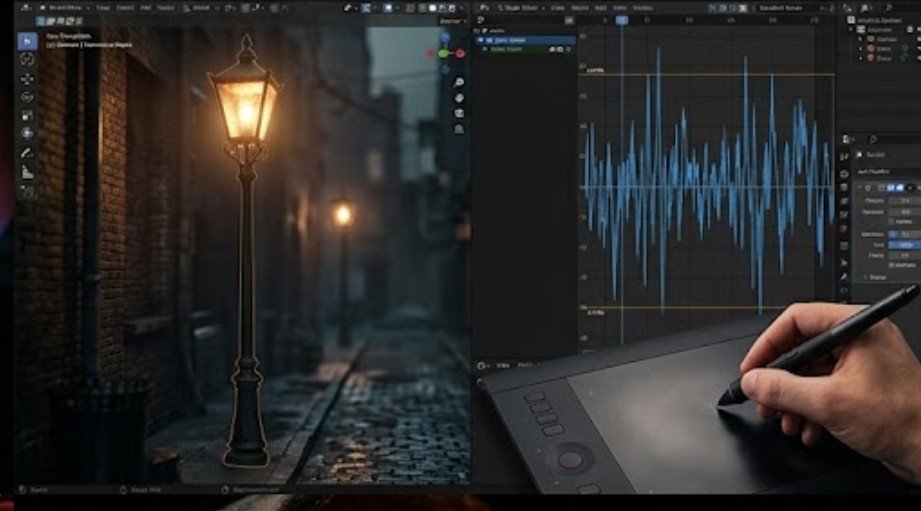
Understanding how to make flickering light effects effectively requires matching the lighting style to the narrative context.
- Horror and Suspense: High amplitude, low-frequency drops mimic failing infrastructure. Use sharp, unexpected cutoffs to create tension. For an outdoor Halloween display, how to set up Halloween uplighting can help you use upward-facing fixtures, controlled shadows, and eerie color effects to create a more convincing spooky atmosphere.
- Historical or Fantasy Settings: Smooth, continuous high-frequency modulation recreates the gentle flicker of candlelight or torch fires.
- Sci-Fi Environments: Combine rapid, rhythmic flashes with subtle color shifts to simulate damaged space station panels or warning beacons.
According to visual media standards supported by the Federal Communications Commission, extreme, high-contrast light strobing can trigger photosensitive reactions. Always moderate sudden contrast shifts to ensure content remains safe and accessible.
Troubleshooting Common Light Effect Mistakes
- Avoid Zero-Value Drops: Complete darkness between flickers often looks jarring. Maintain a low ambient brightness floor so your scene remains readable.
- Smooth Out Harsh Transitions: Unless you are specifically recreating a broken strobe light, ease the curve handles slightly to prevent severe harshness.
- Match Environment Lighting: Ensure secondary reflections on surrounding objects match the main light source’s movement to maintain spatial realism.
For creators looking to deepen their visual post-production workflow, mastering advanced motion techniques like how to stabilize video footage provides another layer of polish when combining physical camera movements with digital lighting modifications.
Physical Hardware Techniques for Live-Action Sets
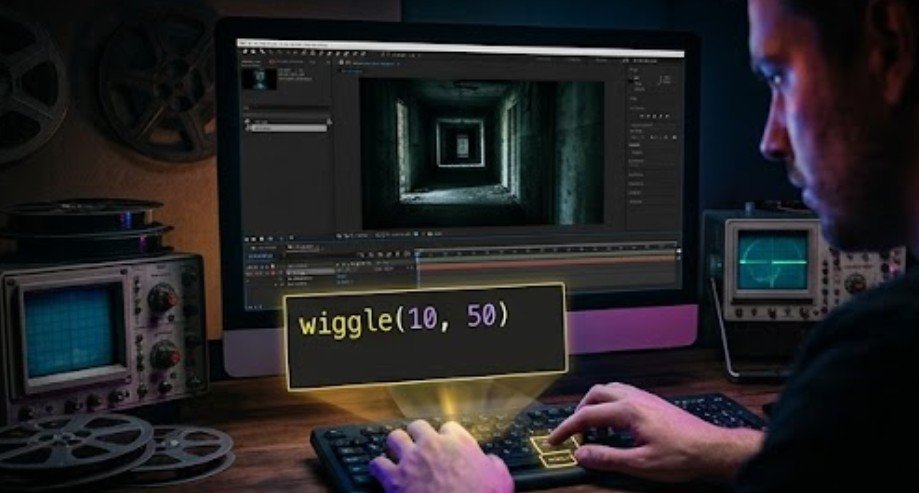
While software tools offer immense control in post-production, capturing dynamic illumination directly on set often produces superior results for practical practical filming.
Practical lighting setups rely on physical controllers to alter output in real time:
- DMX Lighting Consoles: Professional film sets utilize DMX protocols to program precise luminance sequences across multiple fixtures simultaneously.
- Flicker Boxes: Portable hardware devices installed between power outlets and tungsten or LED fixtures modulate incoming voltage to simulate fire, television glare, or electrical shorts.
- Smart LED Fixtures: Modern cinema-grade LED panels feature built-in effect presets, allowing cinematographers to trigger complex light movements directly from a smartphone app.
Understanding real-world electrical behavior helps digital artists craft accurate computer-generated lighting passes.
Practical lighting setups rely on physical controllers to alter output in real time. For decorative setups that rely more on ambient string lighting than specialized flicker hardware, Valentine’s Day bedroom string light decor offers ideas for creating a softer, romantic atmosphere with strategically placed lights.
Frequently Asked Questions
1. What is the simplest code snippet for flickering light in After Effects?
Applying wiggle(10, 30) to your light layer’s opacity property creates an instant, continuous flickering effect that randomly shifts intensity ten times per second.
2. How do I stop digital light flickering from looking synthetic?
Layer multiple noise frequencies together. Combine a high-speed, low-intensity noise modifier with a slower, high-intensity curve to mimic natural electrical instability.
3. Can dynamic light effects cause rendering glitches in 3D software?
Yes, rapid light intensity changes can cause ray-tracing engines to calculate inconsistent shadow maps. Raising your rendering sample count eliminates shadow chatter.
4. What is the safest way to simulate fire flickers digitally?
Use smooth wave curves rather than sharp, jagged steps, and keep the minimum brightness above 30 percent to maintain a realistic, warm glow without jarring cutoffs.
Final takeaway
Lighting is a core pillar of visual storytelling. By mastering procedural expressions in 2D compositing tools, applying graph noise modifiers within 3D pipelines, or utilizing practical flicker hardware on set, you transform static shots into dynamic visual experiences. Experiment with various frequency and amplitude combinations to build subtle, atmospheric lighting that elevates your narrative projects.







One thought on “Beyond the Static Beam: Mastering the Art of Flickering Light Effects”